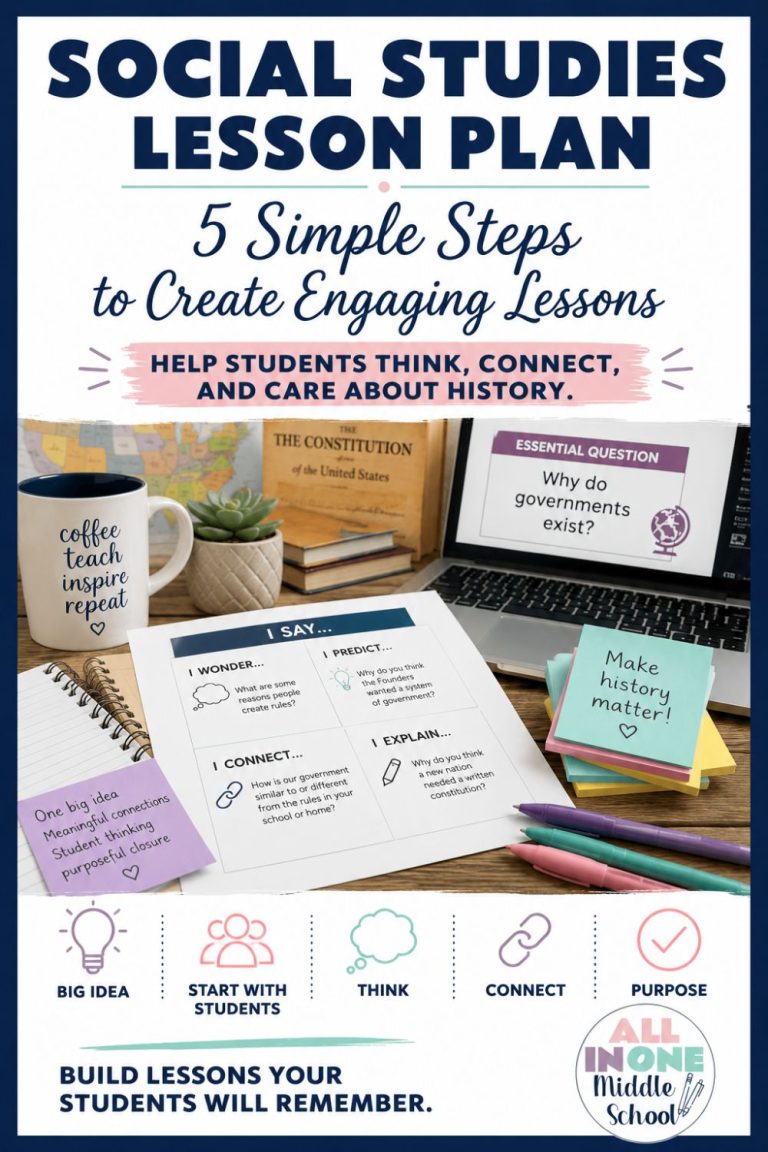
Middle school social studies teachers are sometimes at a disadvantage in getting their kids actively engaged in the material. It is so difficult to have kids relate to some of the concepts that we teach. Boring lectures are something many of us associate with our own memories as students. There is a lot we can do to get kids more motivated. One way I have found is using interactive lessons for soc. I have used them both on paper, in actual notebooks, and digitally. Both work equally well. Read here for easy ways to start using interactive lessons in middle school social studies now.
*Be sure to read to the end for your 2 freebies…they are of great value when using an interactive notebook!

What are Interactive Lessons in Middle School Social Studies?
To begin with the basics, interactive lessons are when you do some direct teaching, and kids do some of the work. Kids will be responding right on the lesson. This can be in the form of an activity, a response, or some questioning.
If you have your lesson on a digital slideshow, each student will need to be assigned their own electronic copy. If you are printing, obviously each student will have their own printed copy and you will need to allow room for the activities.
Benefits of Interactive Lessons
Having kids listen to long lectures is a waste of time. Period. If kids are passively receiving information for more than 20 minutes, their minds go blank. Think about yourself and your worst PD day. Mine was a 3-hour assembly where we listened to one person talk at us. We were not engaged in any way. I have never seen a group of educators look more glazed over, bored, and quite frankly, angry. So why would we do this to our kids?
Obviously, we know we need to teach directly. However, incorporating bits of activity as you go along in the lesson makes a world of difference. Using interactive lessons in middle school social studies is the way to go.
I personally like to use about half of my class time for interactive lessons, ending with an activity that the kids will do. So in the middle of the lesson, I stop and have the kids do that activity with a partner, group, or individually.
Unquestionably, giving material in smaller doses with opportunities for kids to interact with it will allow them to absorb it better and enjoy it more. And I dare say, so will you. Lecturing is exhausting, especially if you are teaching 5 classes a day.
Digital or Print?
Before the pandemic, I used printed lessons. They were copies of my slideshows, formatted to go in students’ notebooks. Students would tape the lesson down on the right side of their composition notebook and do the activities on the left side. The composition book had a table of contents as well. It worked great, but then we went paperless. I still projected my lesson and “lectured” through it. Then I would pause and let kids do their responses.
If you want to use your slideshows to project but print them, a good way to do this is to format your printing like this:
Printing slideshows for student notebooks:
- Go to “File”, “Print Preview”
- Select “Handout – 3 slides per page” (this is my preference)
- Choose “Portrait” (again, my preference)
- Print a copy for each student; there will be room to write on this
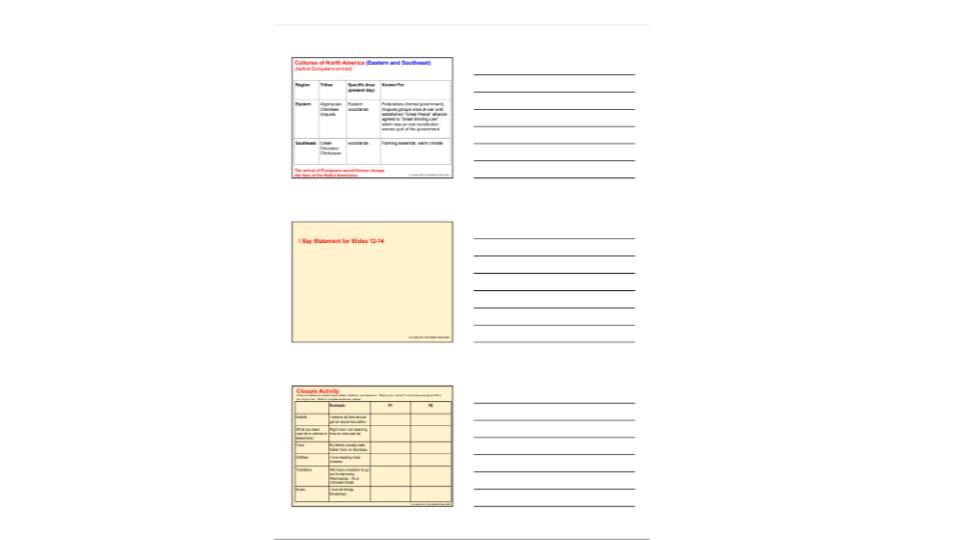
Then, when the pandemic hit, I had to really revamp my entire program. I reworked the lessons so that the activities were right in the slideshow. The students each had their own copy on their Google Classroom™. I would do my lecture portion, pausing to have kids briefly fill in responses that kept them on track.

Honestly, both ways worked well for me. Each have benefits:
Benefits of Digital:
- you don’t need to make copies
- kids don’t lose items
- there’s a digital time stamp for turning in on time
- you can keep track of your comments and students’ corrections
- links can be added for kids to easily complete activities (WebQuests, map activities, video clips, etc.)
Benefits of Paper:
- allows more creativity as activities are done by hand
- it’s easy to give kids a “menu” of activities to add to their notebooks and they choose which to do
- grading is more streamlined and often done in class while meeting with students (I always did digital grading at home)
- students get a much-needed break from their devices
Decide which works best for you and your students and go for it!
Simple Steps to Get Started with Interactive Lessons for Social Studies
The first thing you will need is your lesson. I have had so much success using Google Slides™ with interactive lessons in middle school social studies, so that is what I would recommend.
Tips for keeping your lessons engaging:
- Keep the information streamlined on each slide. I find that using brief bullet points is helpful.
- Use visuals on each slide. This could be a picture of an important person, a map, a diagram, a video, or anything that you think would be of interest.
- Project the lesson and teach into it. Be prepared to elaborate on it a bit. Anytime you can engage in student discussion is helpful. I also find that using analogies to their lives makes all the difference in the world. Example: The delegates had to compromise when writing the Constitution. What was a compromise you had to make? Do you think it was fair?
Next, you will need to add in your interactive components.
Examples of interactive components:
- Do Now: I always have kids do some kind of anticipatory set to ready them for what’s to come. For example, for a lesson on the Constitution, I might ask kids to write down 3 “non-negotiable” rules that they believe the colonies should have.
- Quick Questions: In the middle of the lesson, there might be a question like this: “If you were Ben Franklin, what would you have said to Adams after he rudely addressed the French?”
- Mid-Point Activities: Because I feel that teaching a whole lesson in one day is too much, I like to put in a mid-point activity. This could be something such as working on a vocabulary activity for the lesson, a geography activity that goes along with the lesson, etc. These activities are built right into the lesson.
- Choice Activities: I also really like giving kids a choice here. I provide a “menu” of activities for them. With a printed version, kids pick an activity and do it on the left side of the corresponding note page (I have kids tape note pages on the right side of their notebook). I have a very valuable freebie available; it is a menu complete with all of the directions. you will be set for the year with this! Click here for your free choice activity menu
- Closure Activities: At the end of a lesson, I always include a closure activity. I try to vary the activities. One of my favorites: In a lesson about the 13 colonies, I have students research a song for a colony and explain why it would make a good theme song. Then, in the coming days, we listen to the songs.
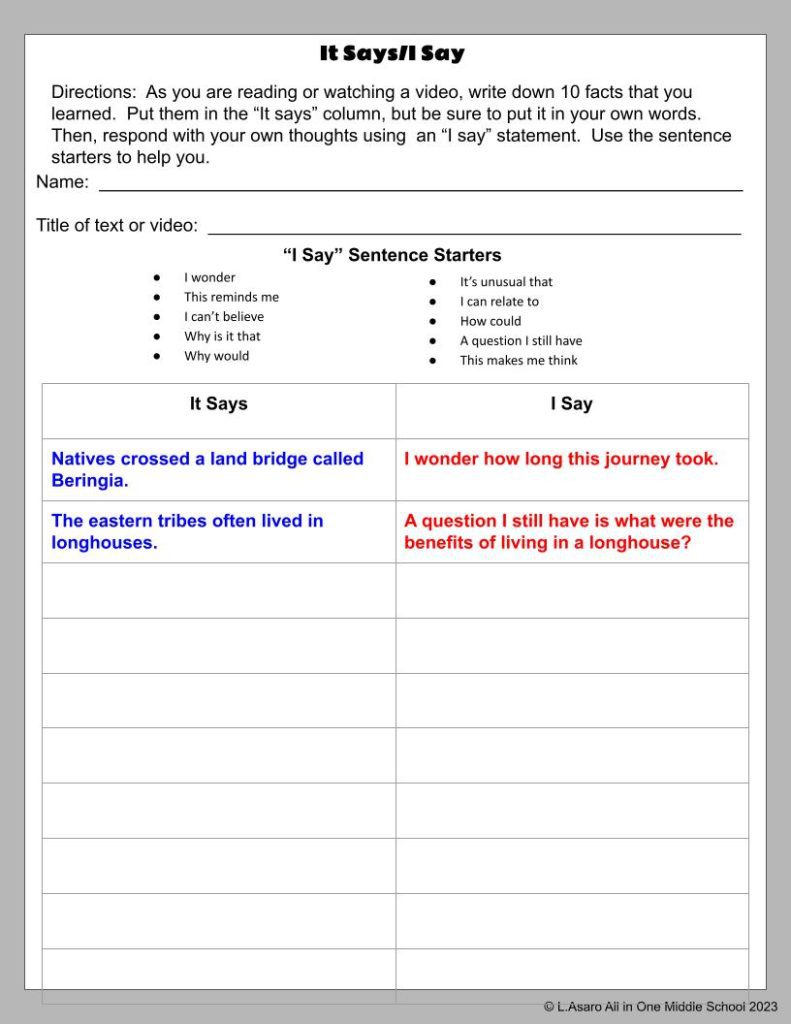
- “I Say” Statements: This is a super easy way to have kids thoughtfully and quickly respond to the material as you are teaching. I give kids some sentence starters to use, and as I go through, I pause to let them write their statements. Example sentence starters: “I think…” “I wonder…” “I can’t believe”. I have a free teacher resource for this; click here to grab your free It Says/I Say page.
To Consider with Interactive Lessons for Social Studies
- I have kids tape the menu on the inside front cover of their notebooks for easy access throughout the year.
- It is important to provide space for these activities right into the actual lesson. I also have an electronic version. Check it out here: Social Studies Choice Board
Grading Interactive Notebooks/Slideshow
If you want kids to do the work, you have to grade it. There is no way around this, but you can streamline it and simplify it.
Grading Printed Interactive Notebooks
I grade notebooks about twice per unit (which is usually every other week). I used to grade them only once per unit, but the amount was too overwhelming to grade at one time. And if kids weren’t doing the work, it was too late.
A simple checklist with main components is the way to go. In this way, I don’t have to take off for every little point. These components work well:
- neatness (written notebooks only) and organization
- submitted on time
- completion
- thoughtfulness of responses
- accuracy of information
- mechanics (punctuation, spelling, etc.)
I keep the grading categories very broad. I am not looking for perfection…it is a notebook, not a test. My categories are:
- most of the time
- some of the time
- needs improvement
If you would like a copy of my free notebook rubric, please click here: Free Interactive Notebook Rubric

Grading Digital Interactive Notebooks
This is different. I grade each individual lesson on a scale of 1-10. There are points for:
- submitted on time
- thoughtfulness of responses
- completion
- mechanics
I don’t fill in a rubric for this as it is digital. Any notes go in the comments section for the grading portion of Google Classroom™.
Make time to Share
It is so important to your lesson to share out what kids are contributing. Otherwise, there’s no point of an interactive lesson.
Sharing “I say” statements during the lesson is a great way to quickly assess how much your kids are getting out of the lesson. It is also fun to share some of their vocabulary symbols. They can do this by drawing it on a post-it or creating it digitally and sharing on Google Classroom™.
Sharing closure activities is a really good idea. Kids will get inspiration from their classmates and see the material through fresh eyes. One way to do this is to do a “museum” walk.
I would love to hear about your experiences or questions about interactive lessons. Please feel free to comment below.
Don’t forget to grab your two freebies:
And don’t forget to check out my full line of interactive lessons and all in one units, available in my TPT store.
Your Entire Year of U.S. History…Already Planned
Imagine having your entire year of middle school U.S. History already planned. The All in One Middle School Social Studies Membership includes ready-to-use lessons, engaging activities, assessments, and teacher resources that save you hours of prep time. Whether you’re planning one week or the entire school year, you’ll have everything you need in one place—so you can spend less time planning and more time teaching. Membership is now open, so don’t delay. 👉 Click here to learn more and join!
Questions? Email me anytime: linda@allinonemiddleschool.com
Wishing you and your students all the best!
-Linda A. “All in One Middle School“
Helpful Links
Membership for Social Studies Teachers American History Year-Long Curriculum